AI Photo Editor: Edit Photos With AI on Your PC, Offline and Free to Download
The desktop AI photo editor with two features nobody else ships: Free Move (drag, move and resize text right on the photo) and subject-aware multi-size covers that recompose around your subject instead of center-cropping. Plus object removal, background cutout and old-photo restore - all local, full resolution, nothing uploaded.
Free Download · Windows & macOS · Runs locally · Nothing uploaded
Live demo: Free Move - drag text right on the photo
How to edit photos with AI on your desktop
- 1 Download and install on Windows or macOS - only the installer needs internet.
- 2 Import a photo and pick a tool: brush away people or objects, Free Move text repositioning, background cutout, upscale or old-photo restore - built-in local AI models do the work.
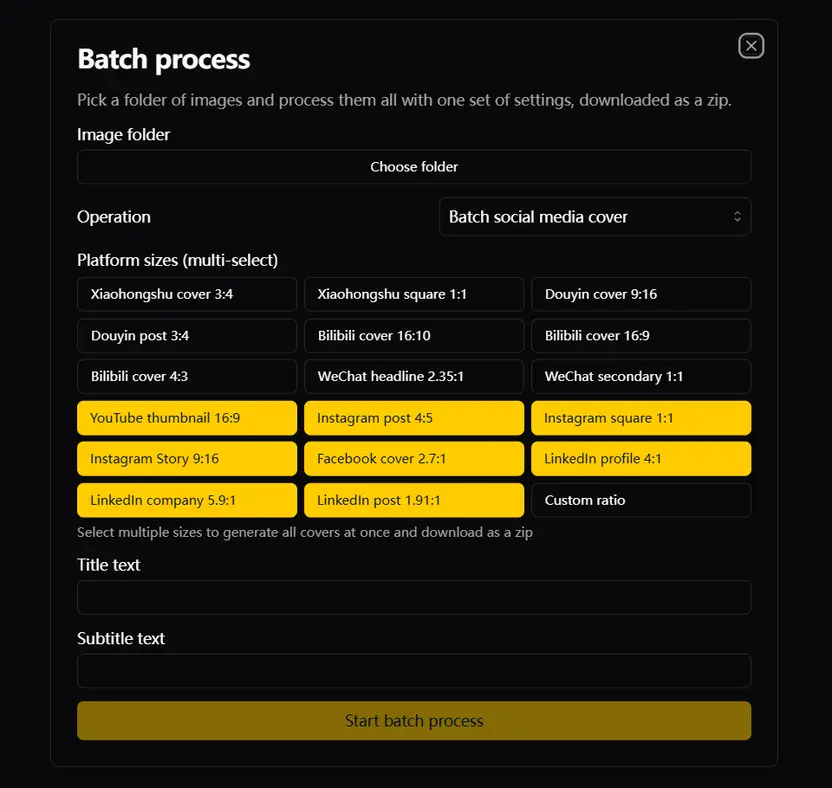
- 3 Publishing? Open Cover Assistant: AI detects the subject, then recomposes the shot for a dozen-plus sizes across Xiaohongshu, Douyin, Bilibili, WeChat, YouTube and more.
- 4 Export at original resolution. Batch-process whole folders unattended (up to 200 images per run) - nothing uploaded, no per-image fees.
Two features only this app has
These two capabilities set this editor apart from both online tools and other desktop apps:
Free Move (move & resize text on photos)
AI detects text and sticker elements on the image - select and drag to move them, resize freely. Fix label text on product shots, move dates on screenshots, adjust poster headlines. No Photoshop layers required, one click is enough. This feature is free.
Subject-aware multi-size covers (Cover Assistant)
Not a center crop: AI first detects the subject, then recomposes the photo for a dozen-plus platform sizes across Xiaohongshu, Douyin, Bilibili, WeChat, YouTube, Instagram and LinkedIn - faces and subjects stay fully in frame at every size. Add title/subtitle text and download all sizes as one zip.
Every batch operation: one folder, one run
Every supported feature runs unattended on whole folders - up to 200 images per run, no clicking one by one:
Batch watermark & object removal
Brush-erase people, logos and date stamps across a whole folder.
Batch background cutout
Transparent PNGs for an entire folder - product shots, portraits, anime art.
Batch upscaling
RealESRGAN 2x/4x sharpening across a whole folder.
Batch ID photo background swap
Blue / white / red backgrounds replaced in one pass.
Batch background replacement
Product whites or scene backgrounds swapped folder-wide.
Batch face restoration
GFPGAN / RestoreFormer portrait enhancement folder-wide.
Batch old-photo restore
De-stain, restore faces, optionally upscale - one pipeline per folder.
Batch colorization
One-click colorization for folders of black-and-white photos.
Batch ID photo printing sheets
1-inch / 2-inch / visa formats, whole folder at once.
Batch cover generation
Subject-aware output for a dozen-plus platform sizes, packaged as one zip.
Batch text watermarks
Adjustable position and opacity, applied uniformly folder-wide.
Batch 9-grid splitting
One image into nine, whole folder ready for social media.
Why an offline AI photo editor beats online tools
Online AI editors make you upload your photos first, then watermark or downscale the "free" result to push you into a subscription. A desktop editor is the opposite: files stay local, output is full resolution, and the models keep working with no internet.
Everything runs on your machine
Restore, cutout and upscale models are built into the app - faces, documents and private photos never leave your computer.
Full resolution, no stamped watermarks
Exports come out at the original pixel size - no watermarked preview layer on your finished images.
One tool for many fixes
Object removal, cutout, upscaling and old-photo restore live in the same window - no juggling four websites.
Works offline
Edit on a plane or an air-gapped machine; no per-image round-trips to somebody's server.
What this AI photo editor can do
Not a one-demo app - everyday photo chores, all local:
Free Move (text repositioning)
Detects text and elements on the photo - move and resize them directly. Free feature.
Cover Assistant
Subject-aware covers in a dozen-plus platform sizes, with titles, packaged as one zip.
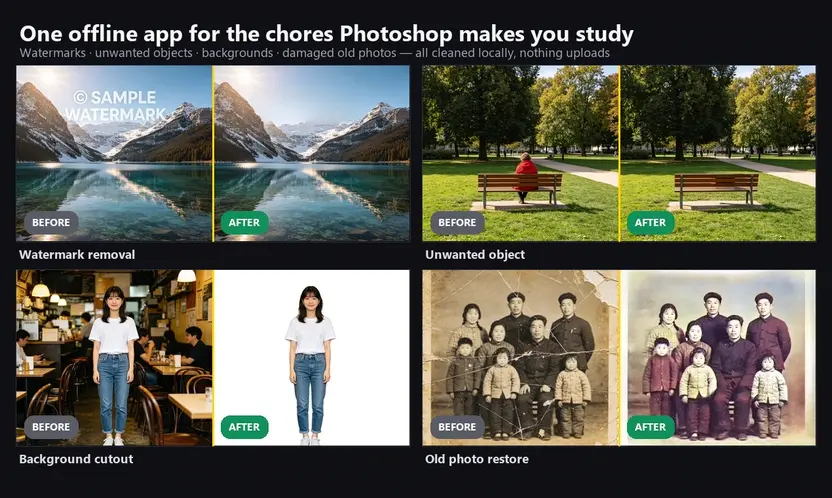
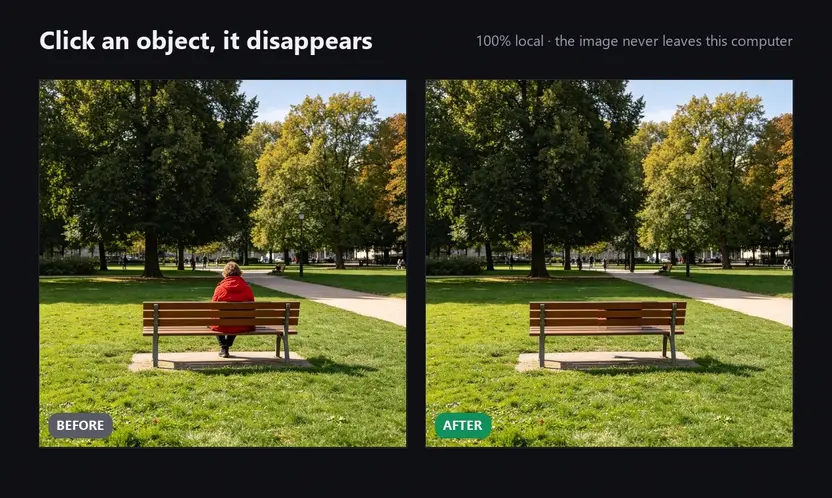
Remove objects and people
Brush away passersby, poles or clutter; AI rebuilds the background behind them.
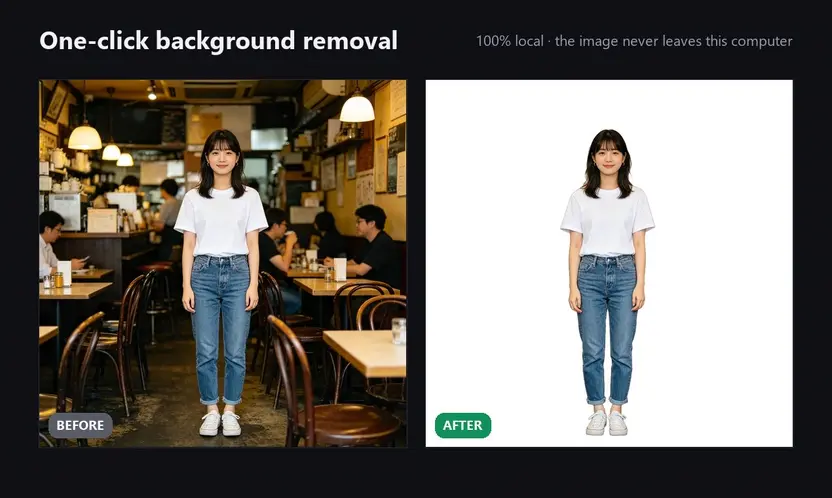
Background cutout
Clean transparent cutouts for product shots, covers and collages.
Upscale and sharpen
Take low-res or old photos up to 8x and recover edge detail instead of mush.
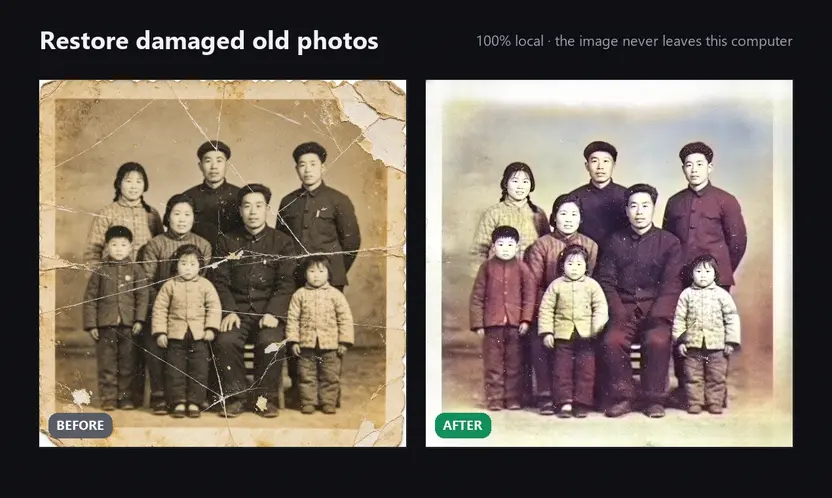
Restore old photos
Repair scratches, creases and fading on scanned prints.
Remove watermarks and text
Full-resolution removal of logos, date stamps and stray text - same engine as our watermark remover.
Desktop AI photo editor vs online AI editors
Same edits, two very different trade-offs.
| AI Photo Editor: Edit Photos With AI on Your PC, Offline and Free to Download | This desktop editor | Online AI editors |
|---|---|---|
| Where photos go | They never leave your machine | Uploaded to remote servers |
| Output quality | Full resolution, no stamped watermarks | Free tier downscales or watermarks |
| Feature range | Remove + cutout + upscale + restore in one app | Usually one niche feature per website |
| Cost | One-time purchase, long-term use | Monthly subscription or per-image credits |
| Offline use | Works with no internet | Dead the moment your connection drops |
FAQ
What is Free Move (moving text on a photo) and how do I use it?
It's a feature only this app has: AI detects text and graphic elements on the photo, then you drag to move them or resize them in place - no Photoshop layers. Fix label text on product images, move dates on screenshots, adjust poster headlines. The feature is free, and there's a live demo video at the top of this page.
Are the multi-size covers just center crops?
No. Cover Assistant first detects the subject of your photo, then recomposes it for a dozen-plus platform sizes across Xiaohongshu, Douyin, Bilibili, WeChat, YouTube, Instagram and LinkedIn - faces and subjects stay fully in frame at every size. Add title/subtitle text and download all sizes as one zip.
Is this AI photo editor free?
Free to download and try. During the trial you can edit as many photos as you like and keep full-resolution results - no signup, no per-image fees. After the trial it's a one-time purchase, not a subscription.
Are my photos uploaded anywhere?
No. The AI models run locally on your Windows/macOS machine - photos never leave your computer. Only downloading the installer needs internet.
What can it actually do?
Exclusive Free Move (move and resize text on photos) and subject-aware multi-size covers, plus object and people removal, background cutout, up to 8x upscaling, old-photo restore and watermark removal - all in one window, all batch-capable on whole folders.
Does it work offline? Which systems are supported?
Fully offline after install, on Windows and macOS. Any recent M-series Mac and most ordinary Windows PCs can run it - no gaming GPU required.
Is it better than Canva, Picsart or Fotor?
On privacy, full-resolution output and unlimited batch work, yes - nothing is uploaded and there are no per-image credits, plus Free Move which online tools don't offer. Online tools win on browser templates, collaboration and stock libraries; this app is built for editing your own photos locally.